Proper air filter maintenance is one of the most important things you can do to keep your Jetson system running efficiently, quietly, and reliably. Using the correct filter type and replacing it regularly helps maintain comfort, airflow, and overall system performance.
Why Air Filters Matter
Your system’s air filter helps protect internal components while keeping dust and airborne particles out of your home.
A dirty, restrictive, or incorrect filter can:
Using the right filter — and replacing it regularly — helps your system operate as designed.
How Often to Replace Your Filter
Supported Filter Ratings
Jetson systems support up to MERV 11 filters in a 1-inch format.
Important notes:
MERV 8 vs. MERV 11: What’s the Difference?
Both MERV 8 and MERV 11 filters are supported by Jetson Air systems, but they serve slightly different goals.
MERV 8 (Standard – Recommended for Most Homes)
MERV 8 filters provide a strong balance of airflow, efficiency, and everyday air filtration.
Best for:
What it captures:
This is the filter we install by default because it delivers reliable performance with minimal impact on system operation.
MERV 11 (Optional Upgrade)
MERV 11 filters capture smaller particles than MERV 8, offering improved air filtration at the cost of slightly higher airflow resistance.
Best for:
What it captures (in addition to MERV 8):
Things to be aware of:
Jetson Air systems are designed to handle MERV 11 filters in a 1-inch format, but proper maintenance is important to avoid airflow issues.
Choosing the Right Filter
When purchasing a replacement filter:
If you’re unsure which system you have, our support team can confirm your model and filter size.
Filter Sizes by Jetson System Type
Jetson Air Filter Sizes
| Model Number | System Size | Filter Size (inches) |
|---|---|---|
| HP-24IDU-001 | 2 Ton | 18 × 20 × 1 |
| HP-30IDU-001 | 2.5 Ton | 18 x 20 x 1 |
| HP-36IDU-001 | 3 Ton | 18 × 20 × 1 |
| HP-48IDU-001 | 4 Ton | 20 × 22 × 1 |
| HP-60IDU-001 | 5 Ton | 20 × 22 × 1 |
MRCOOL Gen 1 Filter Sizes
| Model Number | System Size | Filter Size (inches) |
|---|---|---|
| CENTRAL-24-HP-MUAH230A00 | 2 Ton | 16 × 20 × 1 |
| CENTRAL-36-HP-MUAH230A00 | 3 Ton | 20 × 20 × 1 |
| CENTRAL-48-HP-MUAH230A00 | 4 Ton | 20 × 20 × 1 |
| CENTRAL-60-HP-MUAH230A00 | 5 Ton | 23 × 20 × 1 |
MRCOOL Gen 2 Filter Sizes
| Model Number | System Size | Filter Size (inches) |
|---|---|---|
| MVP-24-HP-MUAH-230A00-O | 2 Ton | 16 × 20 × 1 |
| MVP-36-HP-MUAH-230A00-O | 3 Ton | 20 × 20 × 1 |
| MVP-48-HP-MUAH-230A00-O | 4 Ton | 23 × 20 × 1 |
| MVP-60-HP-MUAH-230A00-O | 5 Ton | 23 × 20 × 1 |
How to Remove and Replace Your Air Filter
Replacing your air filter is a simple task and can be done in just a few minutes.
What You’ll Need:
Step 1: Locate the Air Filter Slot
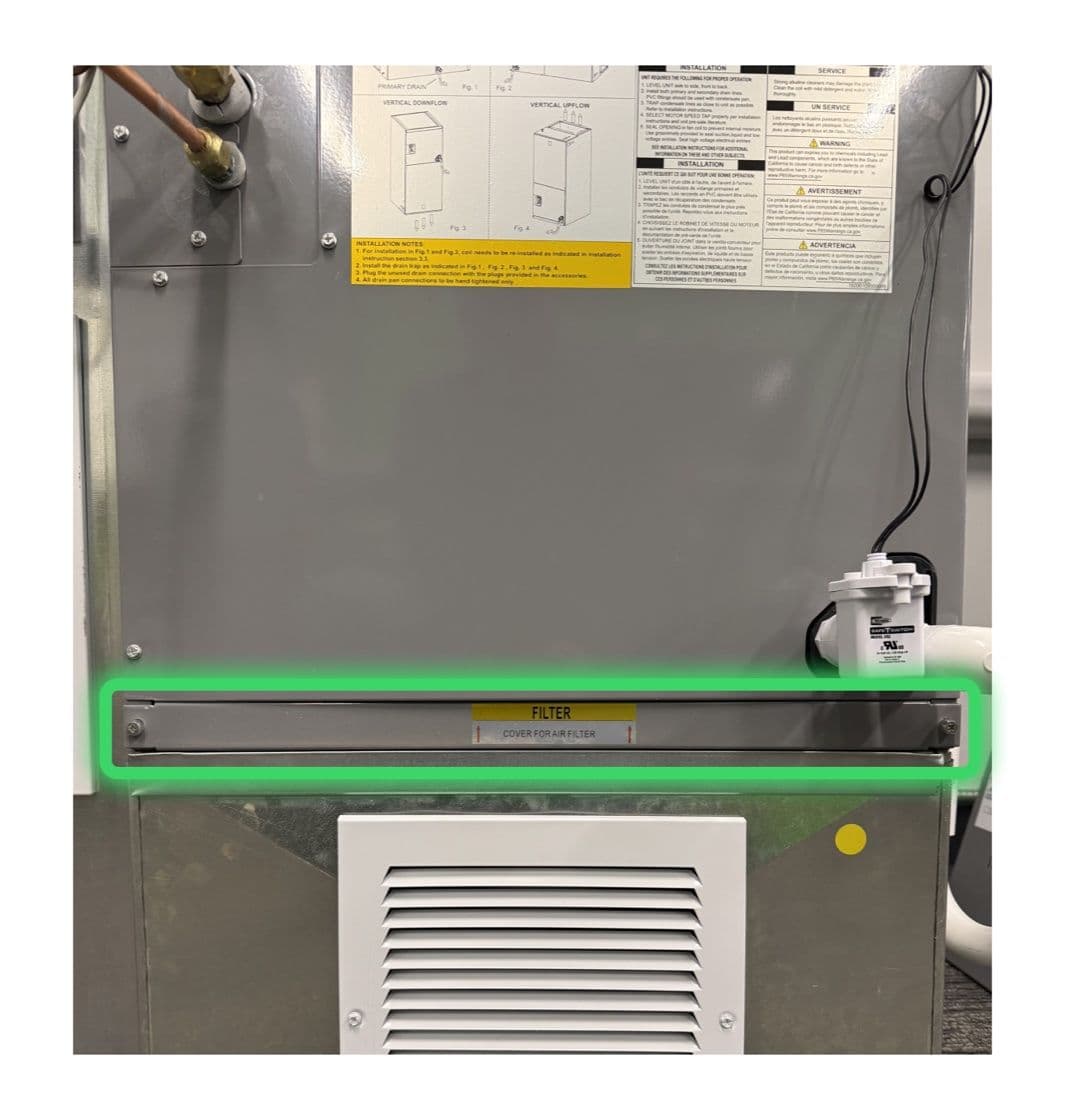
The air filter is located behind the air filter cover on the indoor unit. Look for the removable panel on the front or side of the indoor unit.
Step 2: Remove the Air Filter Cover
For the Jetson Air, unscrew the Air Filter cover using a Phillips screwdriver:
For the MRCOOL Heat Pumps, the cover is magnetically attached and can be removed by hand without a screwdriver.
Step 3: Remove the Old Filter
If the filter appears very dirty or clogged, replacing it promptly can improve system performance.
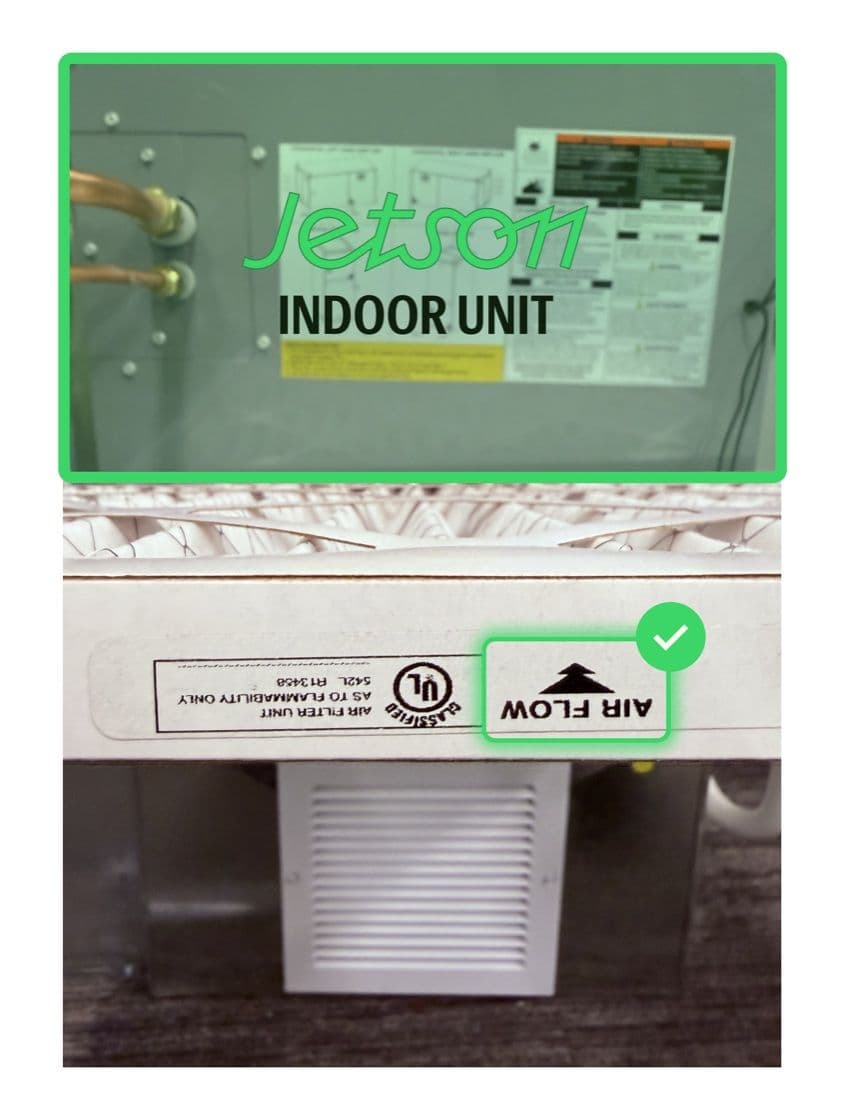
Step 4: Install the New Filter
This ensures air flows through the filter in the correct direction.
Step 5: Reinstall the Air Filter Cover
After You’re Done
Once the new filter is installed, your system is ready to run normally. No additional reset or configuration is required.
How to Find Your Model Number
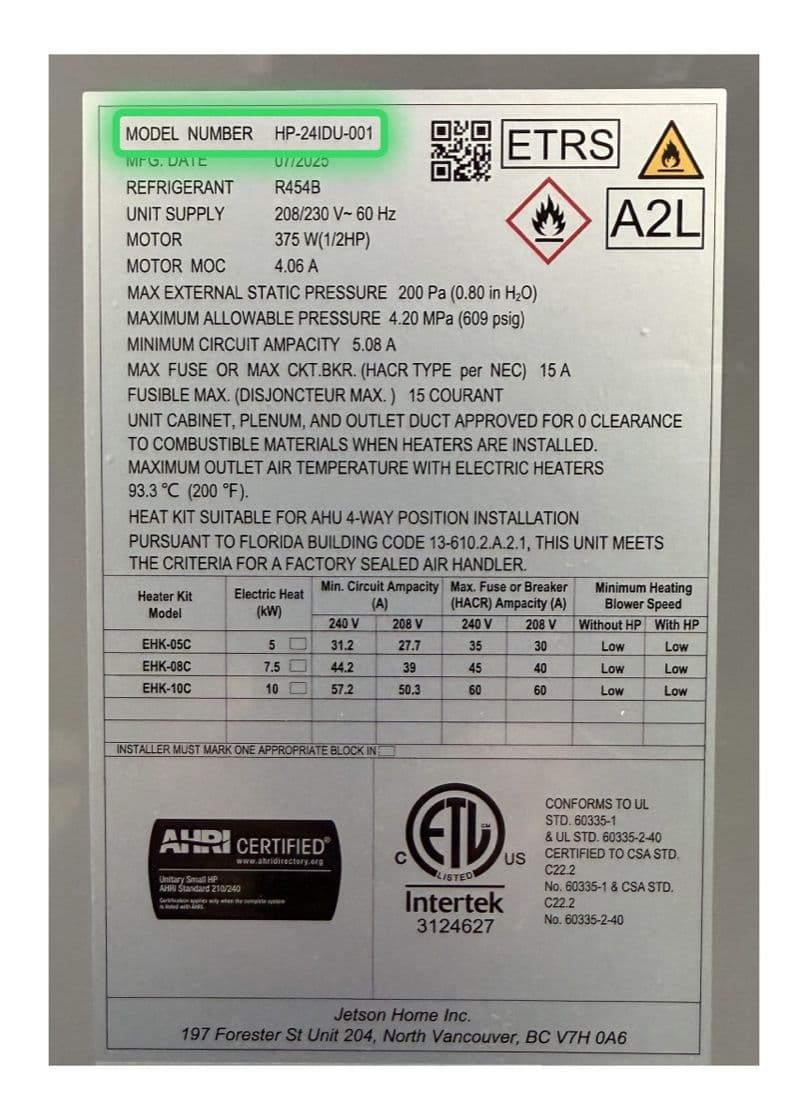
You will need your model number to confirm the correct air filter size. You can find this on your Jetson quote or invoice, or on the Electrical Label found on the Jetson indoor unit (see the green highlight on the image below).